
7 Inventory Visibility Mistakes eCommerce Brands Make Across Shopify and Amazon
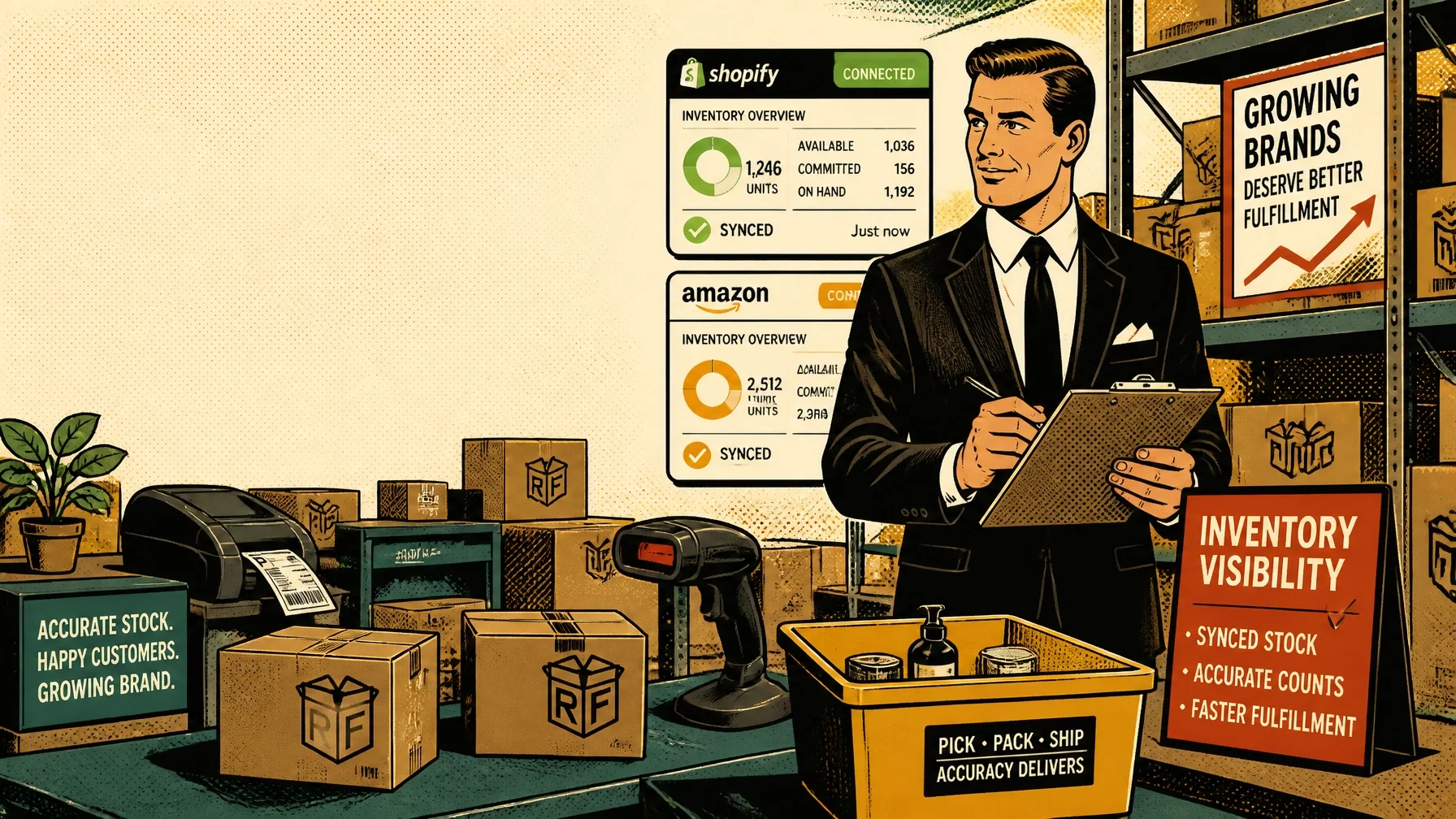
ZAP! One clear view of your inventory across Shopify, Amazon, and the warehouse!
Selling across Shopify and Amazon gives your brand access to more customers. It also creates more opportunities for inventory data to drift.
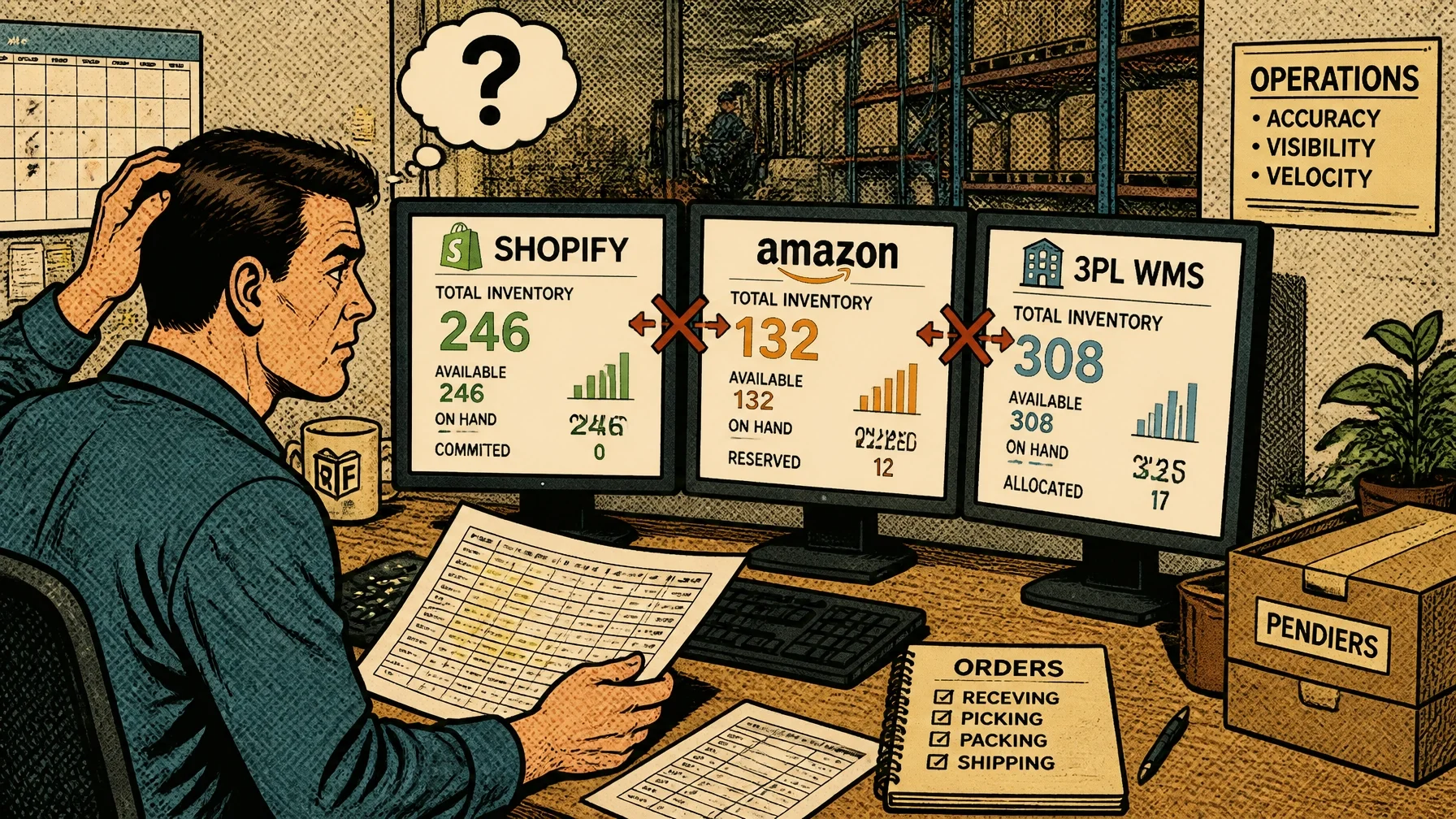
Your Shopify store may show 40 units available. Amazon may show 25. Your warehouse system may show 52. A spreadsheet may show something else entirely.
Which number should you trust?
Inventory visibility means knowing:
How many units you physically have
Where those units are located
How many are committed to existing orders
How many are damaged, held, or in transit
How many are genuinely available to sell
As your order volume grows, spreadsheets and manual updates become harder to maintain. Here are seven common inventory visibility mistakes: and practical ways to fix them.
1. You Keep Shopify, Amazon, and Your Warehouse Data Disconnected
The first mistake is treating each platform as a separate source of truth.
Your Shopify store tracks one version of inventory. Amazon tracks another. Your 3PL warehouse management system records receiving, picking, returns, and adjustments. Purchasing may rely on a spreadsheet.
When these systems do not communicate consistently, every team starts making decisions from incomplete information.
This can lead to:
Overselling across channels
Stockouts that appear without warning
Duplicate manual data entry
Delayed purchase orders
Time-consuming inventory investigations
Shopify notes that retailers often use multiple systems to manage their operations. The more disconnected those systems are, the harder it becomes to understand what you have and what is available to sell.
The fix: Establish a clear system of record and connect your sales channels to your fulfillment operation. A 3PL partner with integrated inventory workflows can help ensure that orders, returns, receipts, and adjustments move through one coordinated process.
CONNECT! SYNC! SHIP!
2. You Treat “On Hand” as “Available to Sell”
Physical inventory and sellable inventory are not always the same thing.
Suppose your warehouse has 100 units on the shelf. Ten are already committed to unshipped orders. Five are damaged, and another 15 are being held for a wholesale order.
Your total on-hand quantity is 100. Your available-to-sell quantity may be only 70.
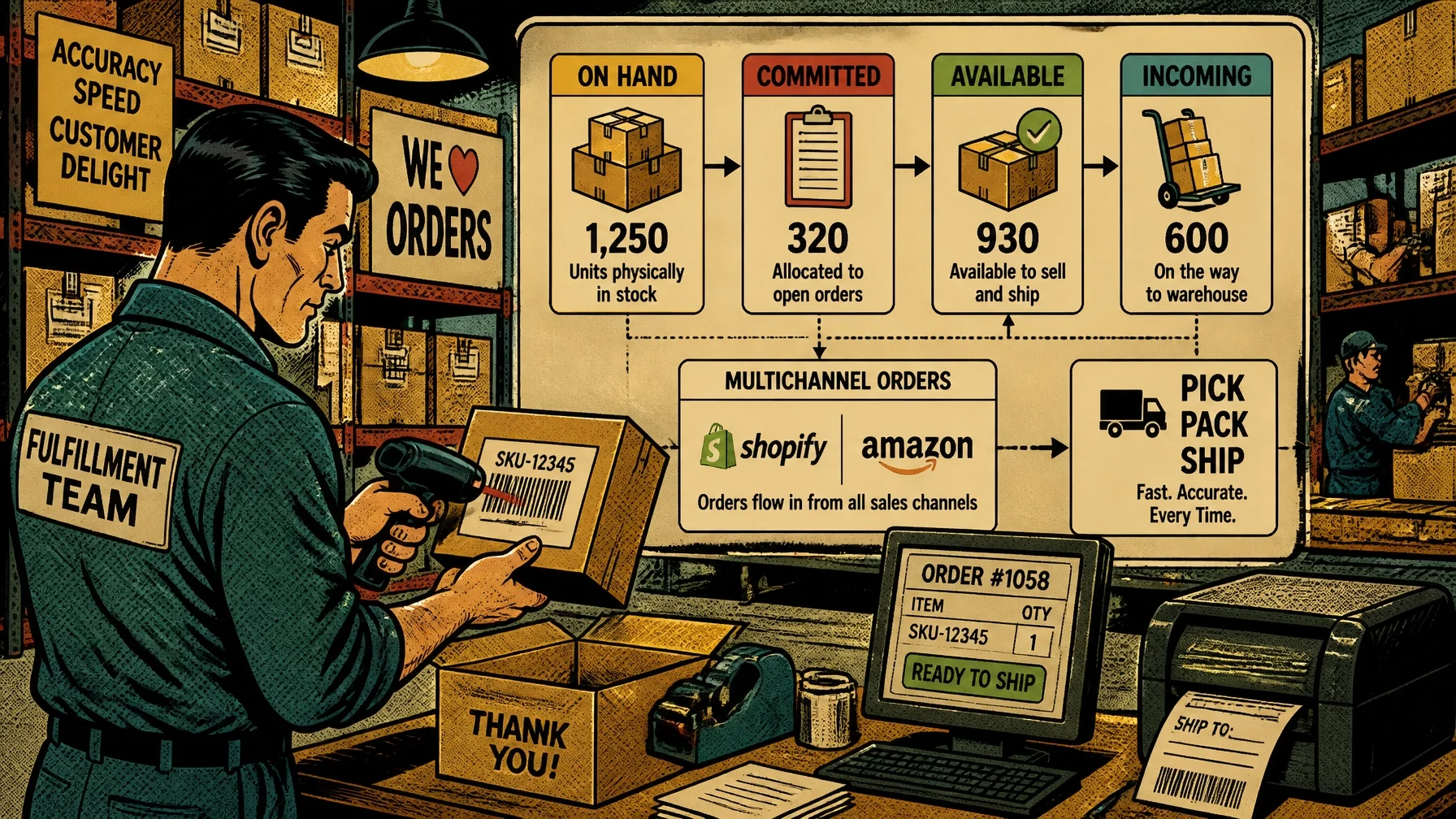
Shopify distinguishes between inventory states such as:
On hand: Total physical inventory recorded at a location
Committed: Units assigned to orders or other obligations
Unavailable: Damaged, held, or otherwise restricted units
Incoming: Units ordered or transferred but not yet received
Available: Inventory that can be sold or allocated
If you publish your on-hand number to Amazon or Shopify without accounting for committed and unavailable units, you may promise products you cannot ship.
The fix: Define exactly what “available” means for your business. Make sure channel inventory feeds use sellable quantities: not total physical quantities. Include safety buffers when needed, particularly during promotions or periods of high order volume.
For a deeper explanation, review Shopify’s guidance on inventory states.
3. Your Inventory Updates Are Delayed
A delayed inventory update may seem harmless when you have plenty of stock. It becomes a serious problem when only a few units remain.
Imagine that one customer buys the last unit on Shopify. Your inventory connector does not update Amazon for another hour. During that window, an Amazon customer purchases the same unit.
Both orders are valid. Your inventory is not.
Batch-based updates can create this problem during:
Product launches
Flash sales
Influencer campaigns
Holiday promotions
High-volume advertising periods
The risk increases as you add channels, marketplaces, retail locations, or multiple fulfillment partners.
The fix: Use near-real-time or event-driven inventory synchronization wherever possible. Your workflow should update inventory when a sale, return, receipt, transfer, or adjustment occurs: not only at a scheduled interval.
Real-time data does not eliminate every inventory error. It does reduce the delay between what happens operationally and what your sales channels display.
SCAN!
4. Your SKU and Bundle Mapping Is Inconsistent
A SKU is the unique identifier used to track a product or product variant. If the same item has different identifiers across Shopify, Amazon, and your warehouse system, inventory updates may fail or apply to the wrong product.
Common problems include:
Different SKUs for the same product
Duplicate SKUs assigned to multiple variants
Incorrect barcodes
Amazon listings that do not match warehouse item codes
Bundle SKUs that are not linked to component products
Bundles create an additional challenge. If a “starter kit” contains three individual products, selling one kit should reduce the available quantity of each component. If the bundle is not mapped correctly, the system may reduce only the bundle SKU: or fail to reduce inventory at all.
That creates phantom inventory: the system shows stock that cannot actually be assembled and shipped.
The fix: Create a master SKU catalog before adding another channel. For each item, document:
Product name and variant
Master SKU
Barcode
Amazon listing or merchant SKU
Shopify product and variant
Bundle components
Packaging requirements
Fulfillment location
Then test every bundle and kit with a sample order before making it available for sale.
5. Your Reorder Points Are Based on Guesswork
Inventory visibility is not only about knowing what you have today. It is also about knowing when to replenish.
Many growing brands reorder when a product “looks low” or when someone remembers to check a spreadsheet. That approach ignores demand, supplier lead times, seasonality, and safety stock.
A basic reorder point can be calculated as:
Average daily sales × supplier lead time + safety stock = reorder point
For example, if you sell 12 units per day, your supplier takes 20 days to deliver, and you want 100 units of safety stock:
12 × 20 + 100 = 340 units
When available inventory approaches 340 units, it may be time to place a purchase order.
This is only a starting point. You should also consider:
Upcoming promotions
Seasonal demand
Supplier reliability
Minimum order quantities
Product margins
Return rates
Inventory already in transit
The fix: Set SKU-level reorder points and connect them to low-stock alerts. Use sell-through and days-of-inventory-remaining reports rather than relying on intuition alone. Shopify also recommends using demand history, supplier lead times, and safety stock when setting inventory policies.
6. Your Channel Settings Allow Overselling
Sometimes the problem is not a missing integration. It is a setting that quietly overrides your inventory controls.
Review whether:
“Continue selling when out of stock” is enabled
Inventory tracking is turned off for a product or variant
Multiple Shopify locations can fulfill the same order without clear rules
Inventory in transit is treated as available
Amazon and Shopify are both selling from the same units without allocation rules
Reserved stock is excluded from channel calculations
These settings may be appropriate for preorders or made-to-order products. They are risky for products that must be picked from physical inventory.
The fix: Create channel-specific inventory rules. Decide whether you will:
Allocate a fixed quantity to each channel
Use one shared inventory pool
Hold a safety buffer
Pause sales automatically when available inventory reaches a threshold
Reserve stock for wholesale or subscription orders
Document those rules and review them before every major campaign.
7. Your Reporting Does Not Explain Inventory States
A report that says “you have 500 units” is not enough.
You need to know where those units are and what condition they are in. Otherwise, a large inventory total can create false confidence.
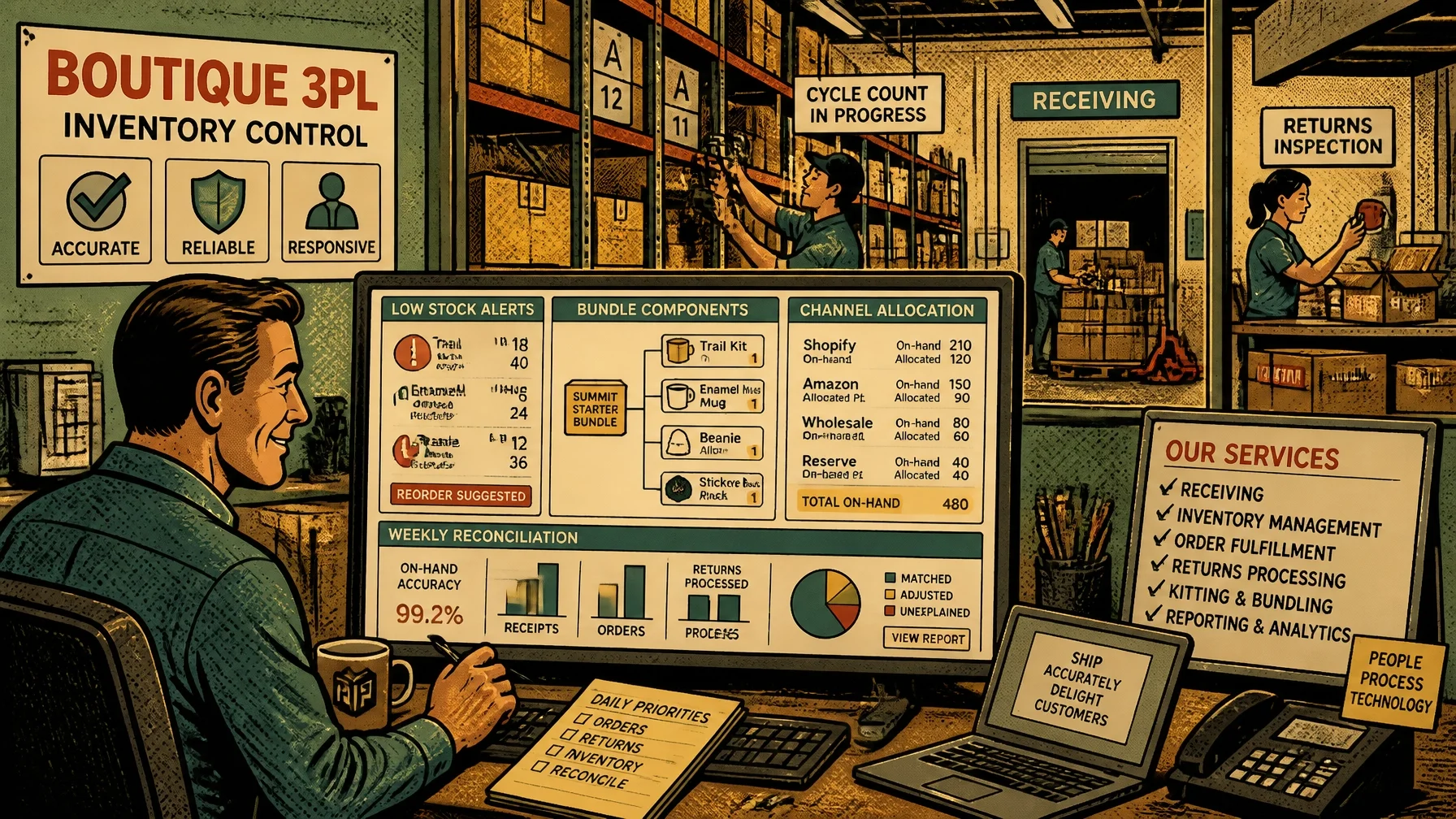
Your reporting should separate:
Available inventory
Committed inventory
Unavailable or damaged inventory
Incoming purchase orders
Inventory in transfer
Returned inventory awaiting inspection
Inventory by warehouse or location
Inventory by sales channel
Manual adjustments
Bundle component availability
You also need a routine for reconciling digital records with physical counts. Shopify recommends cycle counting, particularly for high-velocity or high-value products. A small count of priority SKUs each week is often more useful than waiting for one large annual count.
The fix: Build an inventory health dashboard and establish a regular review schedule.
At minimum:
Review high-volume SKUs daily
Investigate large variances immediately
Cycle-count priority products weekly
Reconcile returns and damaged items
Review manual adjustments by user and reason
Compare 3PL, Shopify, and Amazon quantities regularly
KNOW YOUR NUMBERS!
How a 3PL-Integrated Workflow Improves Visibility
A 3PL does more than store and ship products. The right partner can provide the operational checkpoints that keep inventory data accurate.
A connected workflow typically looks like this:
Receiving: Inventory is counted, scanned, and checked against the purchase order.
Putaway: Units are assigned to a defined warehouse location.
Order import: Shopify and Amazon orders enter the fulfillment system.
Allocation: The system identifies sellable inventory before accepting or routing orders.
Pick and pack: Items are verified during fulfillment, ideally with barcode scanning.
Shipping confirmation: The shipment reduces inventory and updates the connected channels.
Returns processing: Returned items are inspected and classified as sellable, damaged, or held.
Reconciliation: Reports identify variances before they become larger problems.
This is where a boutique 3PL can be especially valuable. Rogue Fulfillment provides personalized fulfillment support, dedicated account management, same-day inventory processing, and 24/7 access to real-time data.
The goal is not simply to move boxes faster. It is to give you dependable information for purchasing, marketing, customer service, and growth decisions.
The Bottom Line
Shopify and Amazon can support substantial growth, but only when your inventory processes grow with them.
The most common visibility mistakes come from:
Disconnected systems
Confusing on-hand with available inventory
Delayed synchronization
Poor SKU and bundle mapping
Guess-based reorder points
Overselling-friendly channel settings
Weak reporting and reconciliation
Start by cleaning up your SKU catalog, defining available-to-sell inventory, and connecting your sales channels to a reliable fulfillment workflow.
Then add real-time updates, reorder alerts, regular cycle counts, and clear accountability for adjustments.
Accurate inventory data gives you more than fewer stockouts. It helps you spend marketing dollars with greater confidence, purchase more intelligently, and deliver a more consistent customer experience as your brand grows.
When you are ready to make inventory visibility part of your fulfillment strategy, contact Rogue Fulfillment to discuss a practical approach for your Shopify, Amazon, and eCommerce operations.